Sep 24, 2026FAQs
How to Fix Dash Cam Memory Card Errors: Step-by-Step Solutions
A dash cam memory card error can compromise vehicle security and result in critical footage loss during road incidents or traffic disputes.
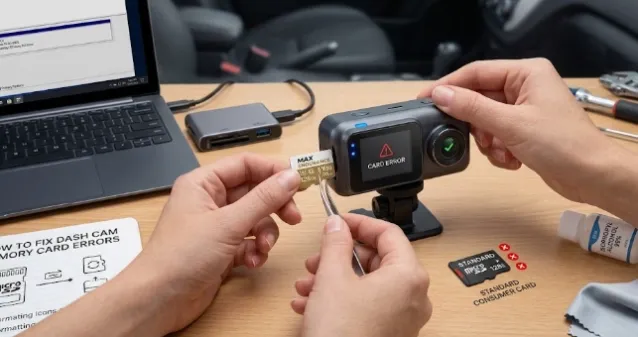
How to Fix Dash Cam Memory Card Errors: Step-by-Step Solutions
A dash cam memory card error can compromise vehicle security and result in critical footage loss during road incidents or traffic disputes. Because Dash Cams continuously overwrite high-bitrate video—especially multi-channel HD or 4K streams—SD cards experience significantly higher write wear than standard consumer electronics.
1. Primary Causes of Memory Card Failures
- File System Corruption: Improper power-offs (e.g., immediate engine shutdown during active file writing) can corrupt the FAT32 or exFAT file structure.
- Storage Degradation: Standard MicroSD cards lack the write endurance required for constant loop recording.
- Physical Damage & Contamination: Oxidation on metal contacts, extreme cabin heat, or card slots clogged with debris.
2. Step-by-Step Troubleshooting Guide
Step 1: Format the MicroSD Card Direct in the Device
Most file system glitches can be resolved immediately by formatting the card directly through the dash cam menu interface. This rebuilds the default directory structure specific to the camera firmware.
Step 2: Inspect and Clean Physical Contacts
Eject the card and check the gold connector pins for oxidation or dust. Wipe the contacts gently using a microfiber cloth moistened with 99% isopropyl alcohol, then inspect the card slot for obstruction.
Step 3: Deep Format and Test on a PC
If the dash cam fails to format the card, insert it into a computer via a dedicated card reader:
- Open Disk Management (Windows) or Disk Utility (macOS).
- Format the card using FAT32 (for cards 32GB or smaller) or exFAT (for 64GB to 512GB cards).
- Ensure Quick Format is unchecked to allow a full sector scan for bad blocks.
Step 4: Replace with High-Endurance Storage
If errors persist after formatting, the NAND flash memory has likely reached its write limit. Replace the card with a dedicated High Endurance or Max Endurance MicroSD card rated with Class 10, U3, and V30 speed classes to handle continuous 1080P/4K video recording reliably.
Preventative Maintenance Checklist
- Routine Formatting: Format the memory card inside the dash cam every 2 to 4 weeks to clean fragmented sectors.
- Avoid Unsafe Removal: Always power off the camera completely before removing or inserting the MicroSD card.
- Use Industrial Storage: Avoid standard TLC memory cards; opt for MLC or high-endurance pSLC cards engineered for automotive telematics environments.