Aug 27, 2026FAQs
Why Is Your Dash Cam Overheating?
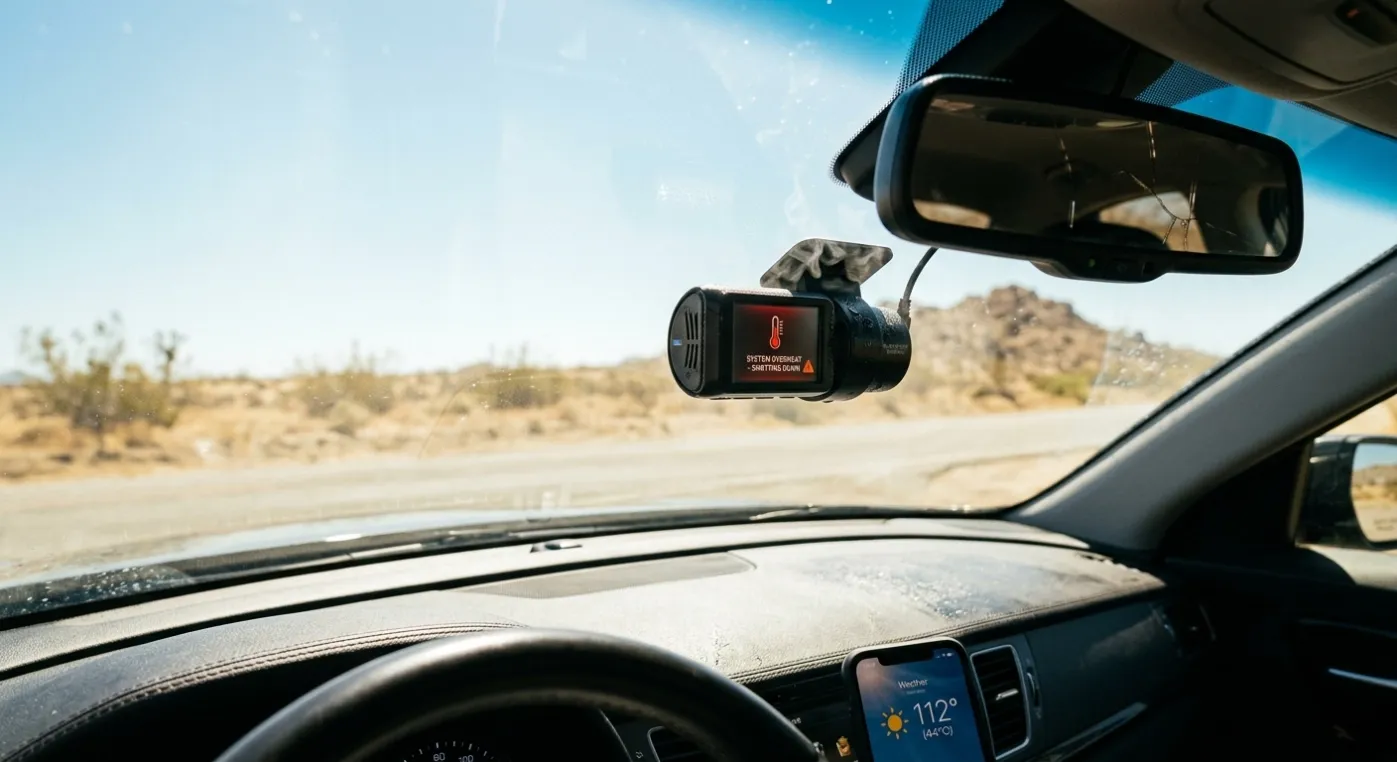
A dash cam sits right against your windshield, which makes it particularly vulnerable to heat. On a hot summer day, cabin temperatures in a parked car can spike well past 100°F (38°C).
Why Is Your Dash Cam Overheating?
A dash cam sits right against your windshield, which makes it particularly vulnerable to heat. On a hot summer day, cabin temperatures in a parked car can spike well past 100°F (38°C). If your camera feels scorching hot to the touch, repeatedly restarts, or triggers a temp warning, heat is almost certainly the culprit.
What Causes the Heat Build-Up?
- Processor & Sensor Workload: Recording video non-stop forces the image sensor and processor to run at full throttle. High-load features like 4K resolution, HDR processing, GPS tracking, and continuous Wi-Fi/4G cellular connections generate substantial internal heat.
- Direct Sun & Poor Airflow: Dashboards trap heat under direct sunlight. Mounting the camera in a tight nook behind the rear-view mirror—or letting dust block its cooling vents—traps thermal energy inside the casing.
- Internal Battery Stress: Traditional lithium-ion batteries naturally heat up during charge cycles, adding to the unit's thermal stress.
Can High Temps Damage the Camera?
Occasional thermal shutdowns won't destroy a quality camera; most modern units cut power automatically to prevent permanent hardware damage.
However, sustained heat exposure will degrade your equipment over time:
- Memory Card Failure: High temps are a top cause of corrupted MicroSD cards, leading to missed recordings or failed writes when you need footage most.
- Component Wear: Excessive heat shortens the lifespan of internal capacitors, lenses, and image sensors.
How to Prevent Overheating
- Switch to Supercapacitors: If you live in a warm climate, choose a dash cam powered by a supercapacitor rather than a lithium-ion battery. They handle extreme vehicle temperatures far better and don't swell or degrade under heat.
- Clear the Vents: Ensure the camera’s ventilation slots aren't blocked by mounts, wires, or dust buildup.
- Dial Back Unnecessary Features: If overheating persists during summer, temporarily lower the recording resolution from 4K to 1080p, or turn off active Wi-Fi hotspot features while driving.
- Use Sunshades & Shaded Parking: Use a windshield sunshade when parked outdoors, or leave window cracks open slightly to prevent total cabin heat soak.